
AI-powered lead intelligence
Discover better
leads.
Engage with
better context.
Lead SignAI helps sales teams find focused prospects, understand fit with AI insight, launch smarter outreach, and track performance from one mobile-first workflow.
AI score94%
Next actionWhatsApp
Built for focused prospecting
Start with clear lead signals instead of a noisy list. Filter, prioritize, and open the opportunities most likely to matter today.
AI context before outreach
Use AI insight to understand why a lead fits, what to say, and which channel makes sense for the next step.
Guided onboarding and support
The interactive guide walks users through daily workflows, SignAI generation, screen usage, playbooks, and troubleshooting.
Workflow
One sales motion from discovery to measurable action.
Review lead volume, temperature, source, search, and priority signals.
Generate new targeted lead batches using specific ICP inputs.
Read context, pain points, fit signals, and talking prompts.
Move into calls, WhatsApp, LinkedIn, or composed messaging with context.
Track quality, activity, source performance, and follow-up discipline.
App screens
Real product views, explained clearly.
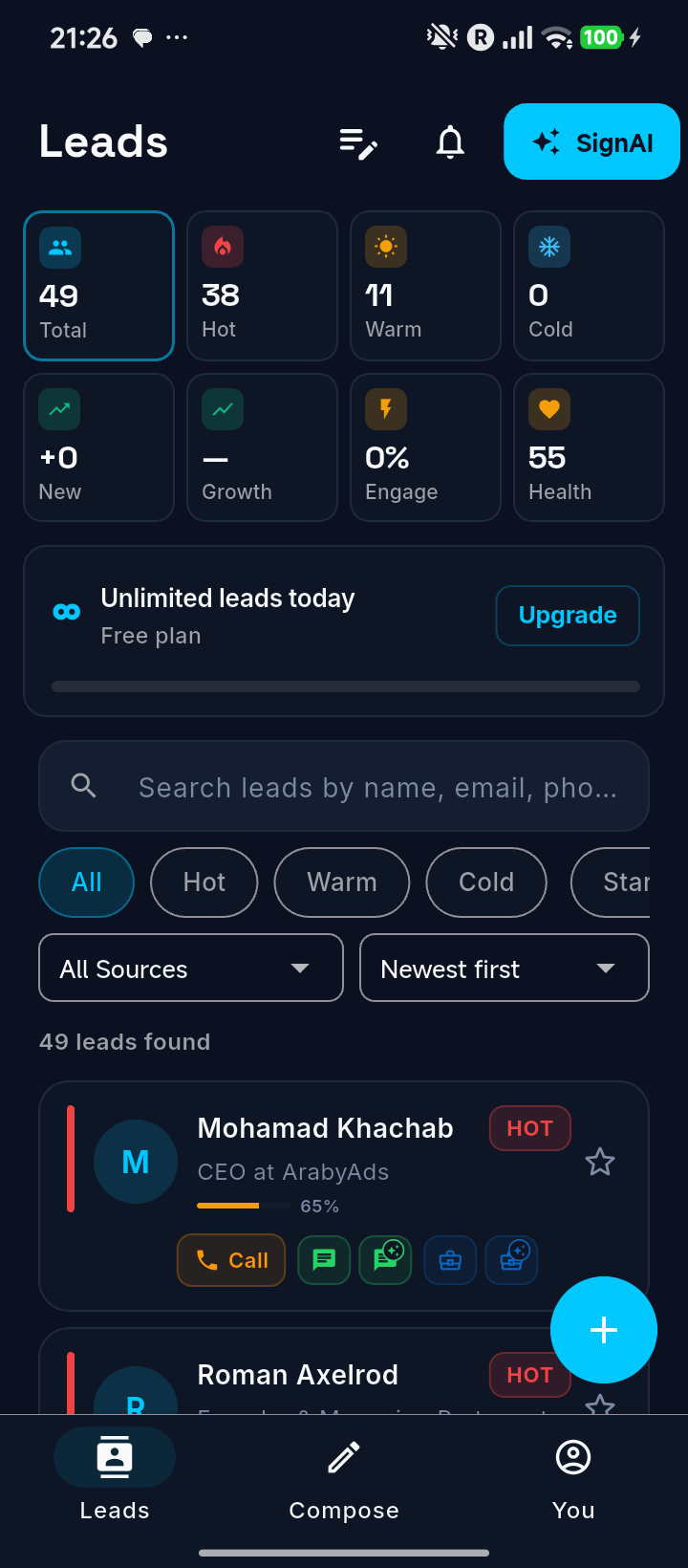
Leads Dashboard
Start the day with hot leads, search, score, source, and recency filters.
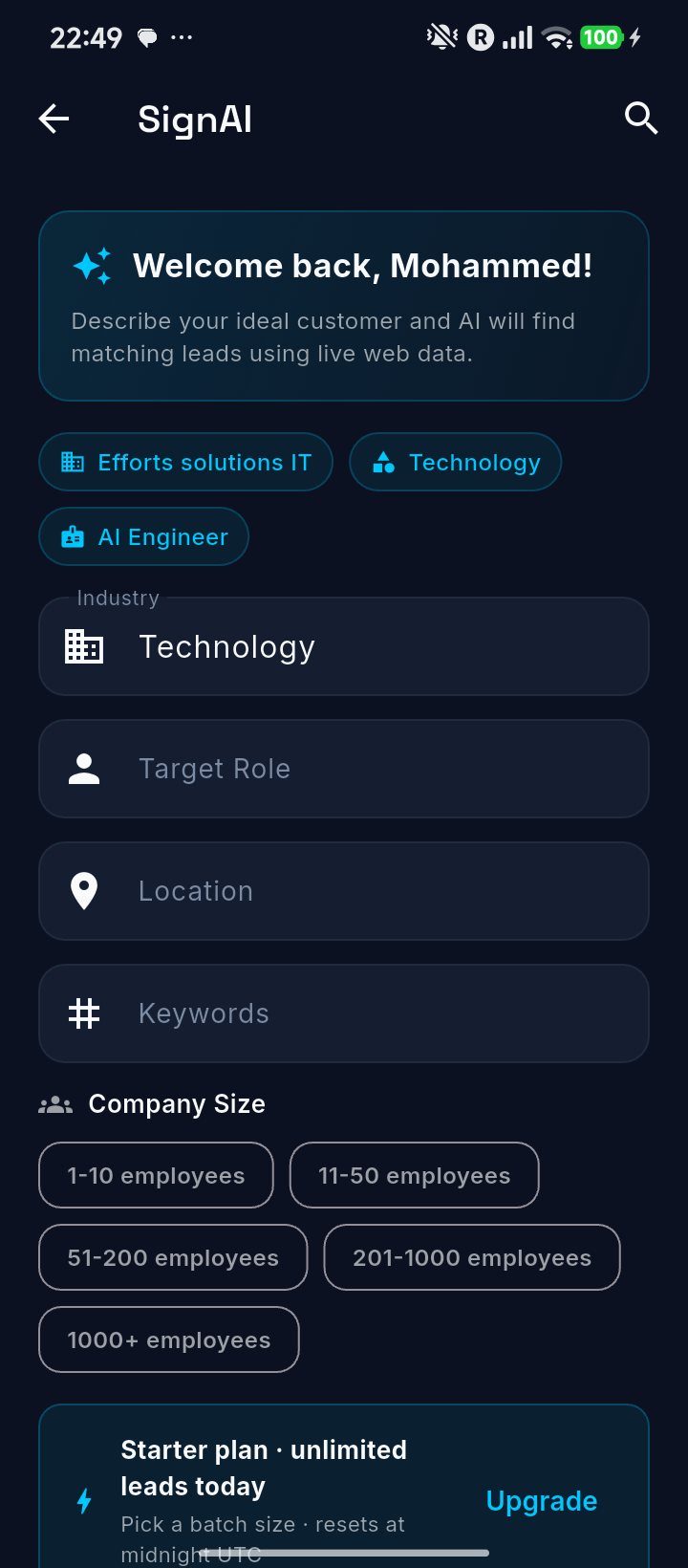
SignAI Discovery
Create focused lead batches using industry, role, location, keywords, and size.
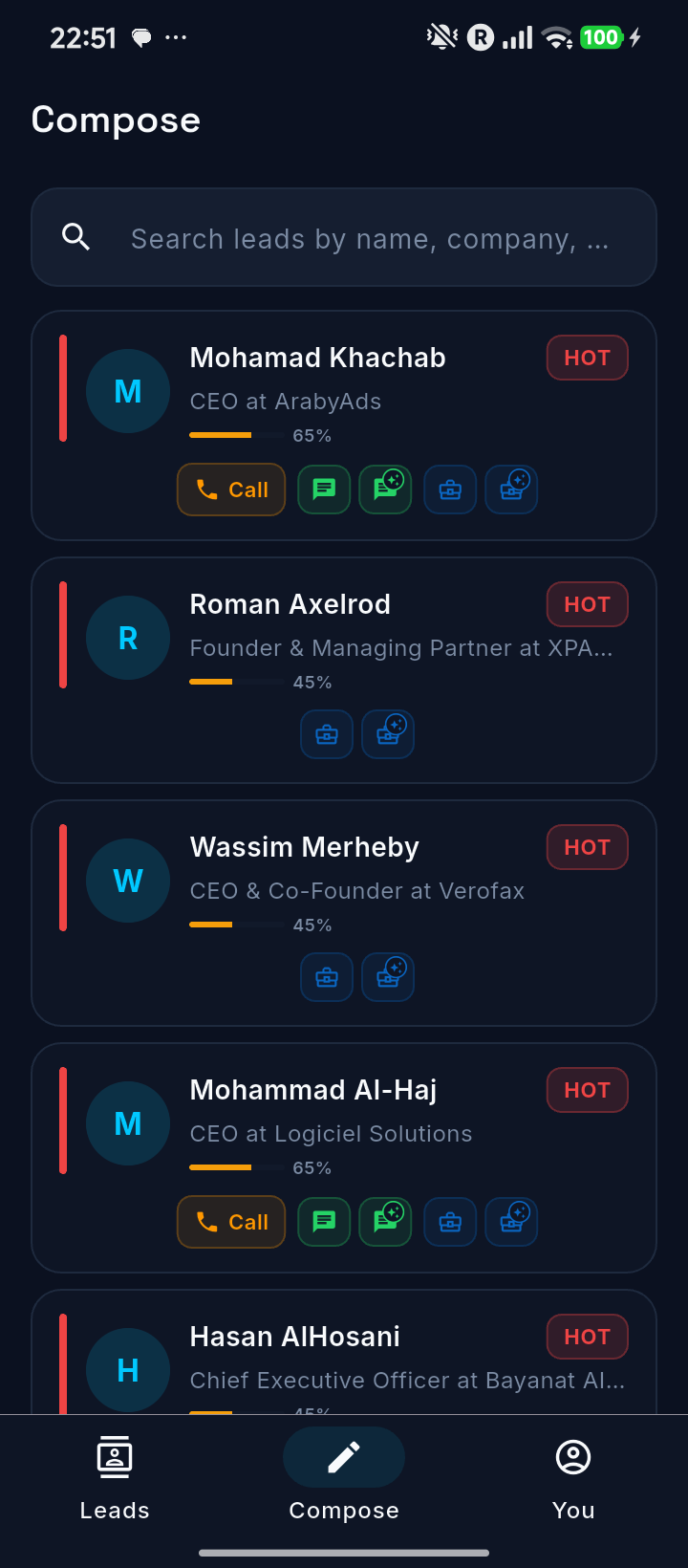
Compose
Prepare professional outreach while keeping the human in control.
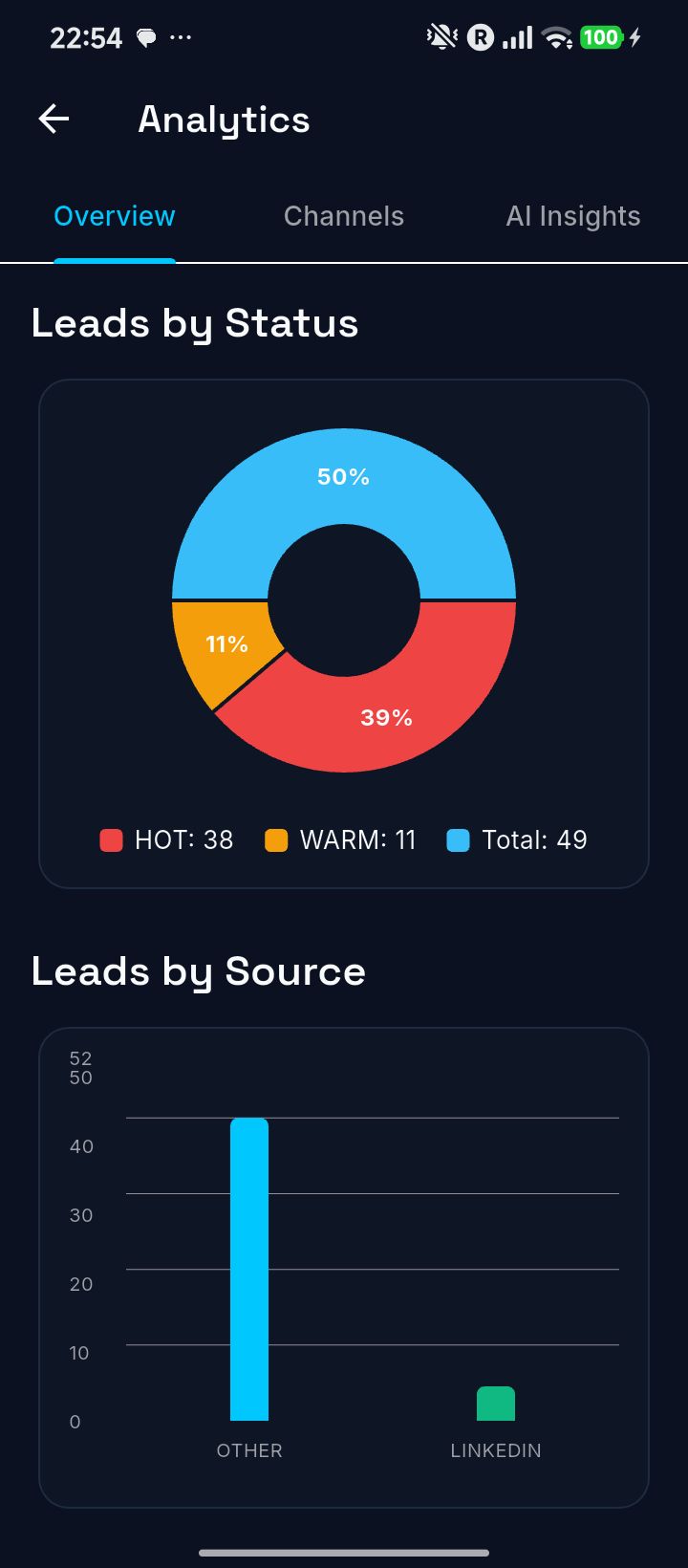
Analytics
Measure lead quality, source performance, funnel progress, and team focus.
Need help?
Use the interactive guide for workflows, screen-by-screen usage, and troubleshooting.
For direct support, email ai@safeye.ai or sales@effortz.com.