See the product, not a PDF.
Real screenshots, live interactions, and guided motion help new users understand the flow faster.
 Support
Interactive support guide
Discover leads.
Prioritize the right people.
Use AI insight.
Launch outreach.
Track performance.
Real screenshots, live interactions, and guided motion help new users understand the flow faster.
The guide teaches what each app area is for, when to use it, and what a good outcome looks like.
Responsive sections, touch-friendly controls, and readable layouts work across phones, tablets, and desktops.
Start here
Click through each step to build the core daily rhythm: review, prioritize, understand, engage, and replenish.
Use your registered email and password. Enable Remember me only on a trusted device.
Product map
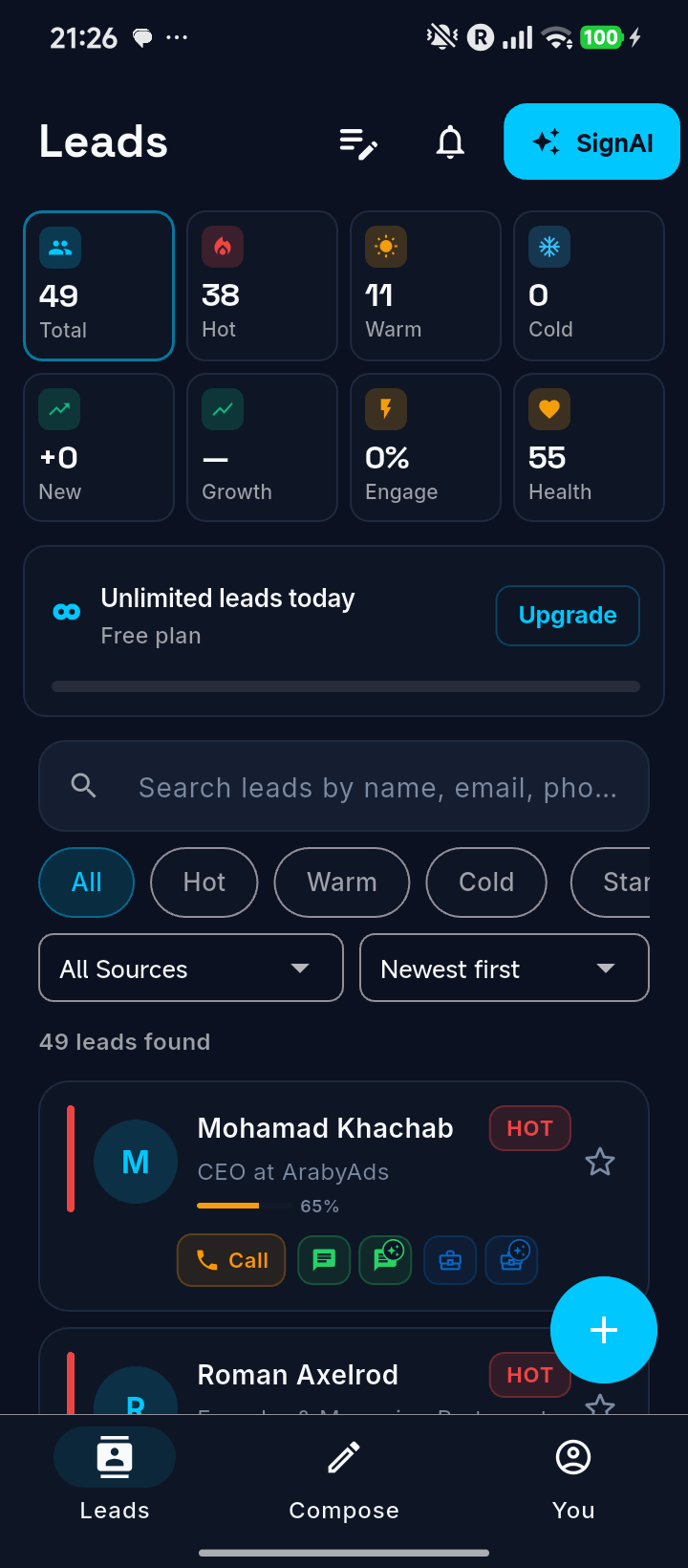
Search, score, filter, and sort the pipeline.
Understand pain points and talking prompts.
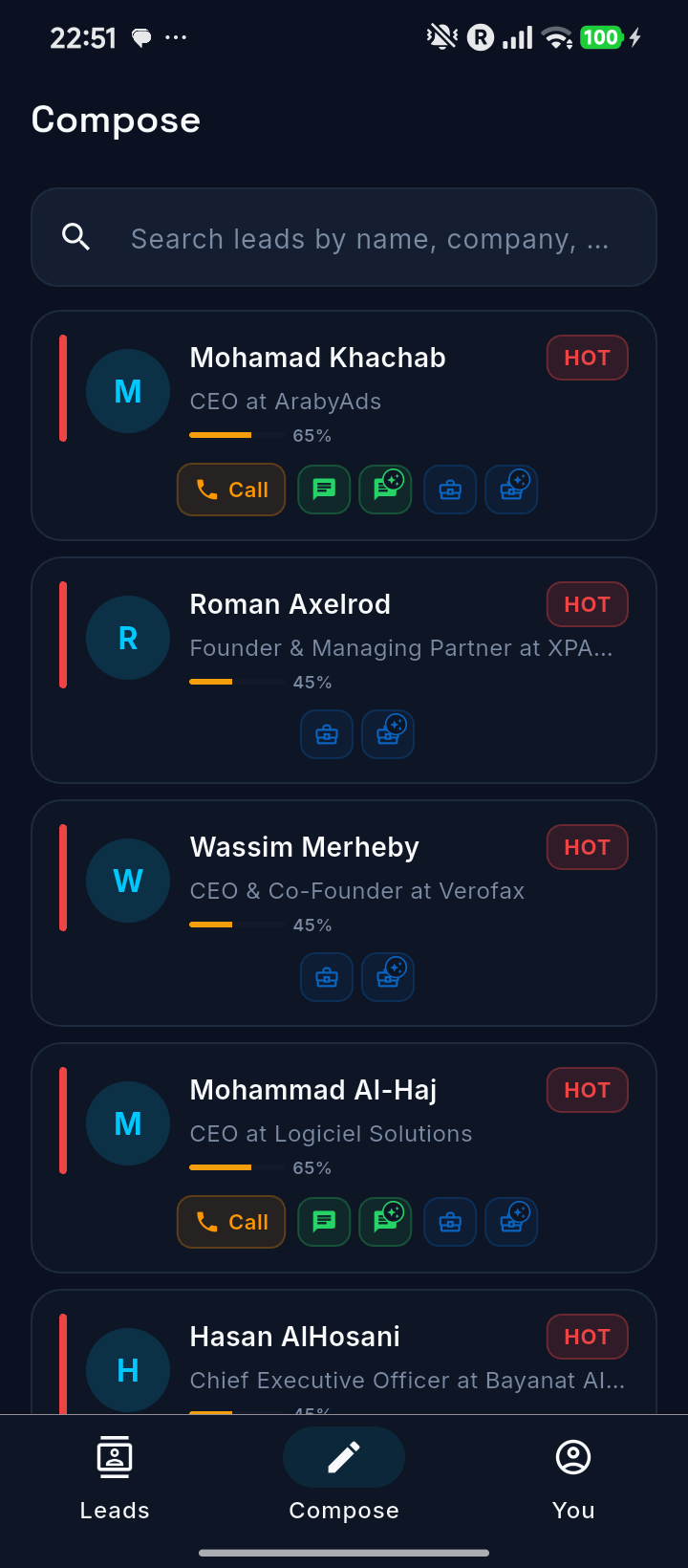
Launch call, WhatsApp, or LinkedIn actions.
Replenish the pipeline with focused lead batches.
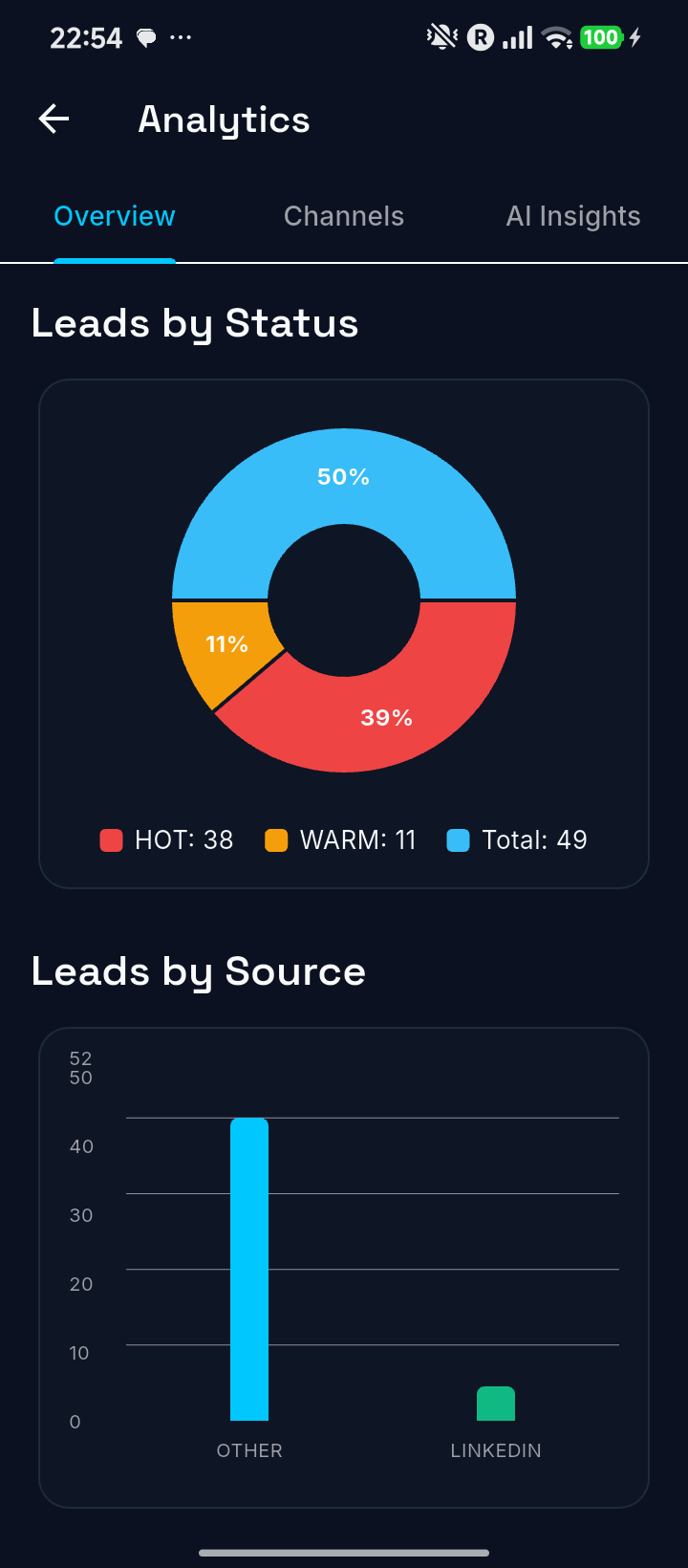
Track quality, sources, and team focus.
Screen guide
Leads dashboard
Use the dashboard to understand volume, hot leads, warm leads, engagement, health, and usage signals before outreach.
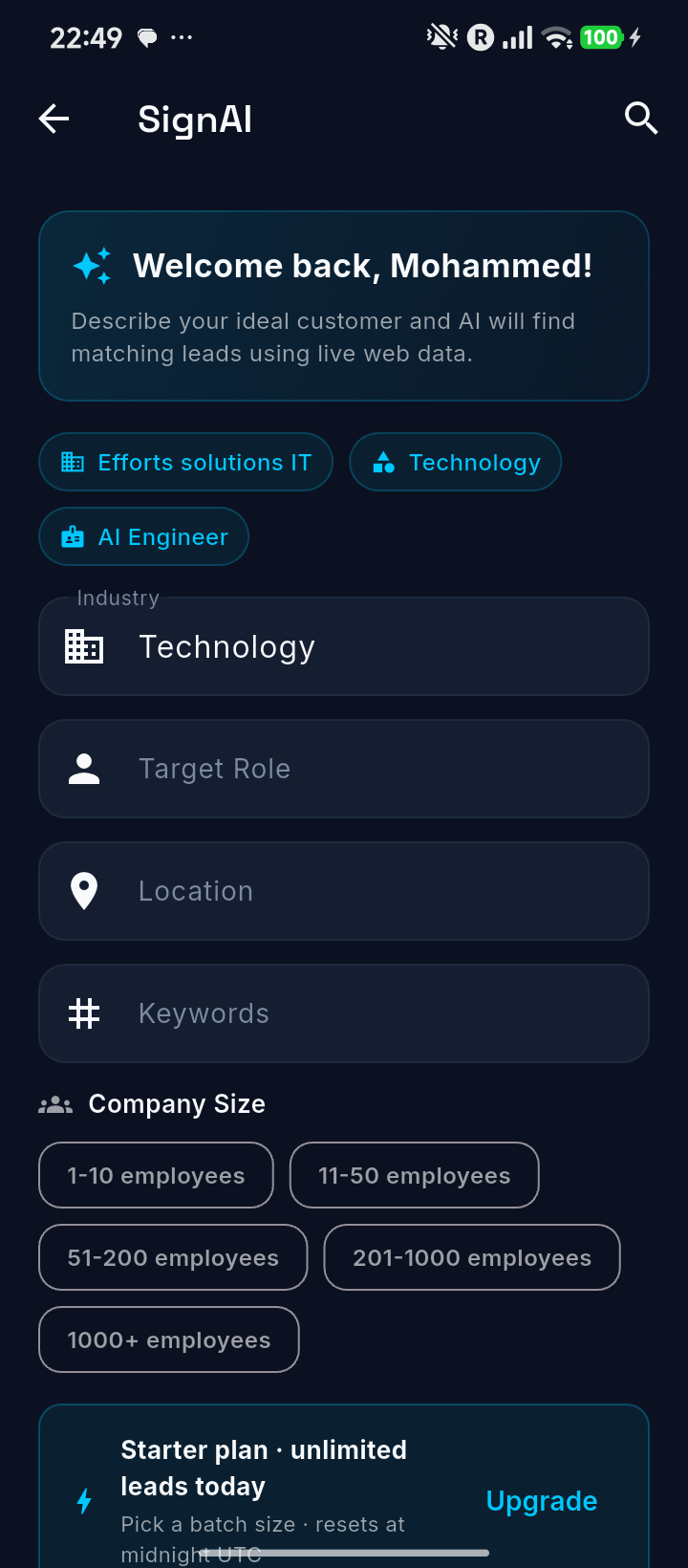
SignAI builder
Use the toggles to see how a better ideal-customer profile becomes outreach-ready context.
Pick the exact market, not a broad category, when relevance matters.
Playbooks
Open Leads, filter hot contacts, read insight, and launch personalized outreach.
Use SignAI to test a new industry, geography, role, or company-size segment.
Teach the same dashboard-to-outreach rhythm across the sales team.
Review subscription, privacy, follow-ups, notifications, and analytics regularly.
FAQ and troubleshooting
Tighten industry, role, location, and keywords. Enable strict match when precision matters more than volume.
Read AI Insight first, pick one company-specific pain point, then personalize the first line before sending.
Filter to Hot, sort by newest first, then work the strongest fit before scanning the wider list.
Check plan usage, reduce batch size, or upgrade if daily generation needs are higher.
Final takeaway